
Apache kafka is a event streaming platform to collect, store and process real time data streams at scale. It has numerous use cases including distributed logging, stream processing and pub-scaling messaging.
The event could be like internet of things, user interactions, microservice output, business process change, notifications. An event in kafka is modeled as a key-value pair.
Apache Kafka Topics
The primary component of storage is Kafka topic which typically represents a particular data entity. The message or an event in kafka is treated as key value pair. The topics in kafka are broken into smaller components known as partitions. The topic are also known as durable logs of events.
The messages in topics can expire after a certain interval. The retention period is configurable.
What are Apache Kafka partitioning
When you write a message to kafka topic then they are actually stored in one of the topic’s partition. The partition that a message is routed to is based on the key of that message.
The key also helps to identify in which partition exactly the message will be pushed into. For example.

The messages are stored in partitions such that they can be stored across multiple nodes in your cluster. Lets checkout how to work with partitions in confluent cloud console.
- First thing check the list of topics in your cluster and describe the topic.
confluent kafka topic list

confluent kafka topic describe <topic-name>
- Now, create the new topics in the partition 1 and 4 as shown below.
confluent kafka topic create --partitions 1 <topic-1>

confluent kafka topic create --partitions 4 <topic-2>
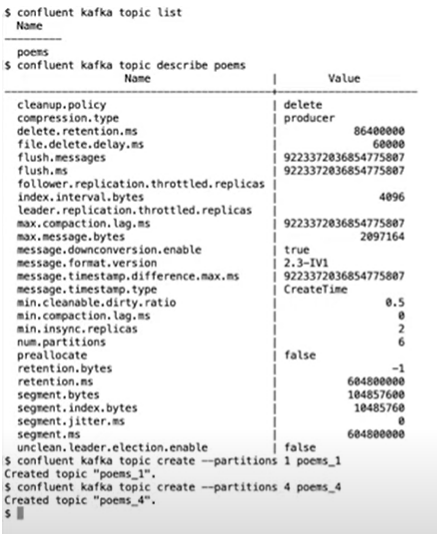
- produce a message in kafka topic. When messages with keys are produced to kafka then a hash is computed from the key and this result is used to determine the partition.
confluent kafka topic produce <topic-name> --parse-key
Creating Apache kafka topic in Confluent Cloud console
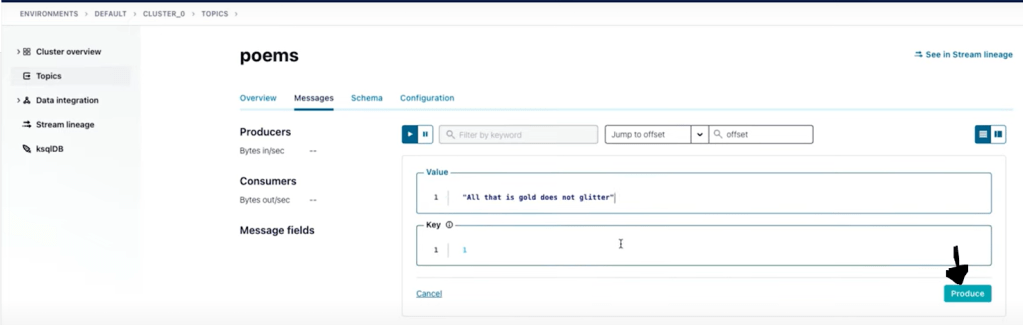
- Your message appeared will be on third partition. To produce or consume a message you will need to use the producer API from your application or kafka connect or confluent cloud CLI.

Producing an message in Apache kafka topic in Confluent Cloud console
- To produce the message in kafka topic use the below commands. After this steps are done you are ready to start producing and consuming the kafka messages from the kafka topics.
confluent environment list                 # List the environments in confluent cloud

confluent environment use env-id   # Use the specific environments

confluent kafka cluster list                 # List the cluster in confluent cloud

confluent kafka cluster use cluster-id   # use the specific cluster

confluent api-key create --resource cluster-id  # Create the new api-key in the cluster

confluent api-key use <api-key>  --resource cluster-id   # set the specific api keys for the cluster
Consuming a message in Apache kafka topic in Confluent Cloud console
- Now consume the messages that are available in the topic using below commands.
confluent kafka topic list

confluent kafka topic consume --from-beginning <topic-name>

- Now to produce more messages in the topic use below commands.
confluent kafka topic produce <topic-name> --parse-key
Consuming a message in Apache kafka topic using Python
You will need to install Python plugin confluent-kafka and use below commands.
virtual env

source env/bin/activate

pip install confluent-kafka
- Next copy the endpoint details from the below command.
confluent kafka cluster describe
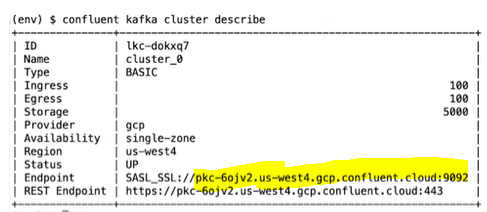
- Next, create the api keys to use to login to the cluster. This will generate the API key and the secret.
confluent api-key create --resource <cluster-id> # This will generate the API key and the secret.

confluent api-key use <api-key>create --resource <cluster-id>
Apache Kafka brokers
Apache Kafka brokers are computers, instance or containers running the kafka process. These brokers manage partitions, handle write and read requests, manage replication of partitions, intentionally very simple.
Apache Kafka Replication
You will need more brokers if in case one brokers are broken. Copies of data for fault tolerant is required. On lead partition and n-1 partitions are followers.
Generally the write and reading happens on the leader node.
Apache Kafka Connect
Kafka connect fetches data from the data source and then from cluster. Also, kafka connect sends the data to data sink. The kafka connect is to make sure plugin connectors are in place.
You can produce and consume message manually but some of data you will need from external sources and in that case you need kafka.
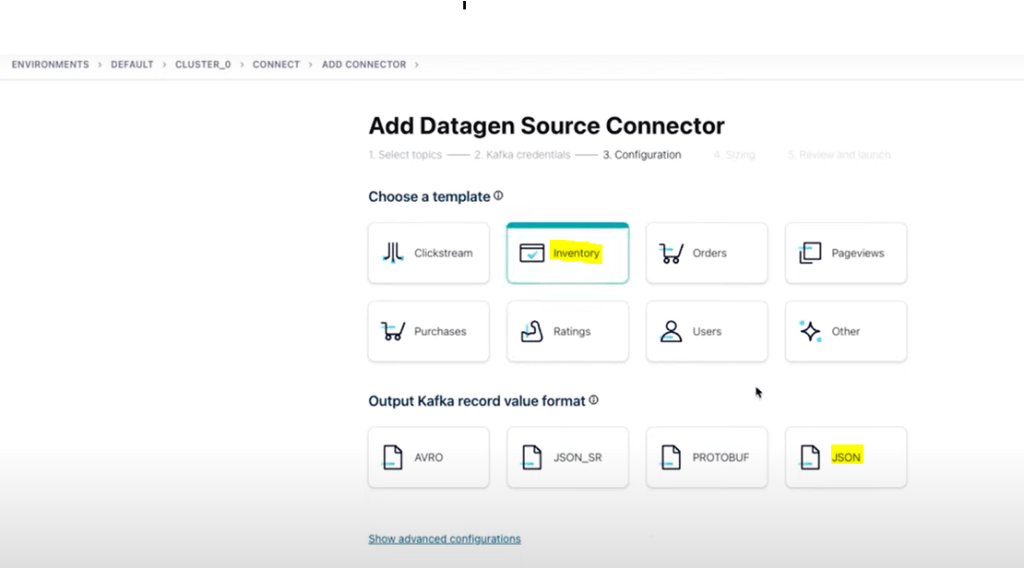
To use connectors perform the below steps:
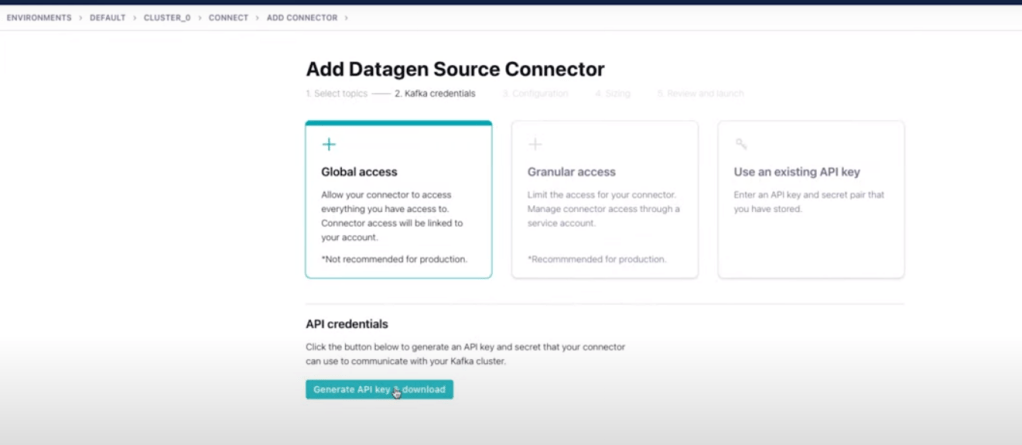
- In confluent cloud console, click on connectors and search for datagen source.

- Add datagen source connector. Here generate the API keys.

 Automate Infra